Cleaning photo report: how to know your office was cleaned
A cleaning photo report is a text sent after every visit with the finish time, the checklist count, two or three photos, and the time the alarm was set. Read it in under a minute, and call if anything in the scope was missed for a re-clean within 24 hours.
A cleaning photo report is a text sent after every visit with the finish time, the checklist count, two or three photos, and the time the alarm was set. Read it in under a minute, and call if anything in the scope was missed for a re-clean within 24 hours.
Commercial cleaning is one of the few services a business pays for without ever watching it happen. The crew arrives after everyone leaves and is gone before anyone returns. A cleaning photo report closes that gap. It’s a short message sent at the end of each visit that shows when the work finished, what got done, and how the office looked when the cleaner walked out.
This guide explains what a cleaning photo report should include, how to read one in under a minute, and what to do when something doesn’t look right.
Why proof of cleaning is hard to come by
Most office managers judge their cleaning service by what they notice the next morning. That works until it doesn’t. A missed visit can go unnoticed for days if the office was tidy to begin with, and a rushed visit looks fine until a client spots the restroom.
The common workarounds don’t help much. A sign-in sheet shows someone was there, not what they did. Asking staff to keep an eye out turns them into inspectors. Without proof of cleaning from each visit, the only feedback loop is a complaint.
What a cleaning photo report includes
A useful cleaning report is short enough to read on a phone in a few seconds and specific enough to answer the obvious questions. Every After Hours visit ends with one, texted to the contact you choose.
Sample report
Cleaned 11:42 PM
Checklist 18 of 18
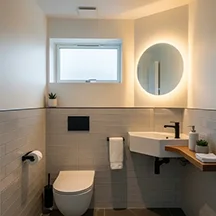

Alarm set 11:44 PM
Finish time
When the visit ended. Over a few weeks, it shows the visits happen on schedule and take a consistent amount of time.
Checklist count
How many tasks from the written scope were completed that night, such as 18 of 18. A short count is an instant flag.
Two or three photos
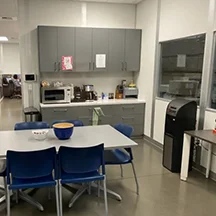
Snapshots of the spaces that show cleaning best, usually a restroom, the breakroom, and the lobby or entry.
Alarm time
The minute the alarm was set on the way out, so you know the office was secured at the end of the visit.
How to read a cleaning photo report in a minute
You don’t need to study every report. A quick scan each morning, or a weekly look back, is enough to know the service is on track.
- Check the time. Make sure the visit happened on the scheduled night and finished at a reasonable hour.
- Check the count. A full count means every task in the scope for that night got done.
- Look at the restroom photo. Clean mirrors, wiped sinks, and stocked dispensers are the clearest sign of a careful visit.
- Look at the entry or lobby. Clear glass and a vacuumed mat show the first impression your clients will see.
- Confirm the alarm. An alarm time a minute or two after the finish time means the office was locked up properly.
What the photos should show
Photos work best when they focus on the spaces people judge an office by. These are the shots that tell you the most.
- A restroom sink and mirror, which shows disinfecting, glass work, and dispenser refills in one frame.
- The breakroom counter and sink, where crumbs, spills, and dishes are easy to spot.
- The lobby or entry, including the glass door and the mat, where clients form an opinion first.
- A hard floor area, which shows if sweeping and mopping happened or only vacuuming.
Restroom photos carry the most weight. Fixtures and faucets are among the high-touch surfaces the CDC’s facility cleaning guidance recommends cleaning regularly, so a clean restroom in the report is a strong sign the visit covered what counts.
In Southern Utah, the entry photo is especially telling. Desert dust settles on glass and mats faster than almost anywhere in the office, so a clean entry is a good sign the rest of the visit was thorough. Our guide to how St. George red dust affects office cleaning covers why.
A running record of every visit
One cleaning report answers one question: did tonight’s visit happen? A month of reports answers bigger ones. You can see if finish times are steady, if counts stay complete, and if the same spaces look the same week after week.
That record pays off when something comes up. If a staff member says the restroom wasn’t cleaned Tuesday, you can check Tuesday’s report in seconds. If an alarm company asks when the building was last secured, the answer is already in your texts. Each visit’s entry and alarm times are also recorded in the key and code log, which adds a second layer to the record.
Who should receive the reports
Reports go to one contact you choose during onboarding. Pick the person who is closest to the space and most likely to act on what they see.
- An office manager who opens the office and notices problems first.
- A property manager responsible for common areas across several tenants.
- A business owner who wants a quick nightly confirmation without checking in person.
Choosing one clear contact keeps reports from getting lost in a shared inbox and makes it obvious who calls when something needs attention.
The report comes by text, so there’s no app to download and no portal to log into. It shows up where you already look first thing in the morning.
When something doesn’t look right
Reports make problems visible early, which is the point. If a photo shows a smudged mirror, or you notice something the next morning that should have been done, call us. Anything in the written scope that was missed gets re-cleaned within 24 hours of the report, at no charge.
Because each account has one assigned cleaner, feedback goes to the person who actually cleans your office. A note about a spot that keeps getting missed gets fixed on the next visit and stays fixed, since the same person comes back each time.
Photo reports and the written scope
A photo report is only as useful as the list behind it. The checklist count measures the tasks in your written scope for that night, so a clear scope makes the count meaningful. If you haven’t set one up yet, our office cleaning checklist shows every task by area and how often it happens.
The scope and the report work together: one says what should happen, and the other shows that it did. You can see how both fit into the recurring program on our page for janitorial services in St. George.
For client-facing offices, the report is part of how we handle office cleaning in St. George, where the lobby has to be right before the first appointment.
What a photo report can’t replace
A report is a strong signal, but it works best alongside a few simple habits on your side. Two or three photos can’t show every corner of an office, so an occasional walk through the space is still useful, especially in the first month of service, when you and your cleaner are still learning the space together.
Pay attention to the areas photos rarely capture: vents, baseboards, the inside of trash bins, and the far corners of hard floors. These are weekly and monthly tasks in most scopes, so a quick look once or twice a month tells you the detail work is on schedule. Staff comments help too. If someone mentions the breakroom sink or the conference table more than once, give us a call so it gets added to the next visit’s focus.
The goal isn’t to inspect the cleaning every day. It’s to have enough information that a question gets answered in seconds and a problem gets fixed before a client ever sees it.
Common questions about cleaning photo reports
When does the cleaning report arrive?
Right after the visit ends, the same night. Most contacts read it the next morning.
Do I need an app to see it?
No. The report arrives as a text message to the contact you choose at onboarding.
What if the checklist count isn’t complete?
Call us. Anything in the written scope that was missed is re-cleaned within 24 hours at no charge.
Will the same person clean every time?
Yes. Each account has one assigned cleaner, so the person in your space knows it well.
A cleaning photo report turns an invisible service into one you can check in seconds. See how reports fit into the full process on our how it works page, or request a quote to get them for your office.